

Appearance
Migrations
The Migrations page is where you launch and track tenant-level operations that touch the underlying instances — cloning, deleting, exporting, importing, and replacing entire instances.
What you can do
Five job types:
| Job type | What it does |
|---|---|
| Tenant Clone | Duplicates a tenant onto a target instance, with optional user-email remapping. |
| Tenant Delete | Removes a tenant from its instance and from the Console. Destructive. |
| Tenant Export | Packages a tenant's data into a downloadable artifact. |
| Tenant Import | Restores a tenant from a previously exported artifact, on a target instance. |
| Instance Replace | Moves every tenant from one instance to another in bulk. Each tenant becomes a sub-job; the parent tracks overall progress. |
Every job can be run as a dry run first. Dry runs walk through the whole flow without writing destructive changes — they are the recommended way to validate a job before letting it act for real.
List page
Toolbar
- Search — free-text across job number, ID, tenant name, error message, actor email.
- Type — Tenant Clone / Delete / Export / Import / Instance Replace.
- Instance — filter by source or target instance.
- Status — All / Active / Succeeded / Failed.
- Time Range — 7 days / 30 days / All. Toggles at the bottom right of the toolbar.
- Clear Filters — resets all filters.
- Refresh — manual refresh (the page also auto-polls running jobs every 10 seconds).
- New Job button (top right).
A live counter shows how many jobs are currently running.
Columns
| Column | Notes |
|---|---|
| Job | Job type label (Tenant Clone, etc.), the job number (#123), a dry-run flag, and the attempt count if retried. |
| Subject | Compact description — "Old Tenant (ABC) on prod-1" or "prod-1 → staging-1" for an instance replace. |
| Status | Queued / Running / Succeeded / Failed. |
| Summary | Per-tenant progress for instance replaces ("3 / 27 tenants"); the created tenant code for clones; a generic summary otherwise. |
| Started | Relative timestamp. |
| Duration | Elapsed time in human-readable form ("2h 15m"). |
| By | Avatar of the user who requested the job. |
Click a row to open the right-hand drawer with the job's logs, outcomes, and actions.
Job lineage
Retries of the same job are grouped as one row — you see the latest attempt's state and the attempt count, not separate rows per retry.
Creating a new job
Click New Job. The wizard has two steps.
Step 1 — Choose the job type
A grid of five cards. Click one.
Step 2 — Configure
Fields depend on the type:
- Tenant Clone / Tenant Import — source/target tenant, target instance, user-email remap section (explicit mappings if you want to anonymise PII), dry-run toggle.
- Tenant Delete — source tenant, dry-run toggle.
- Tenant Export — source tenant, dry-run toggle.
- Instance Replace — source instance, target instance, dry-run toggle.
Live (non-dry-run) destructive operations show red borders and require explicit confirmation. Dry-run is the default.
Click Run. The job appears in the list with status queued then running.
Job drawer
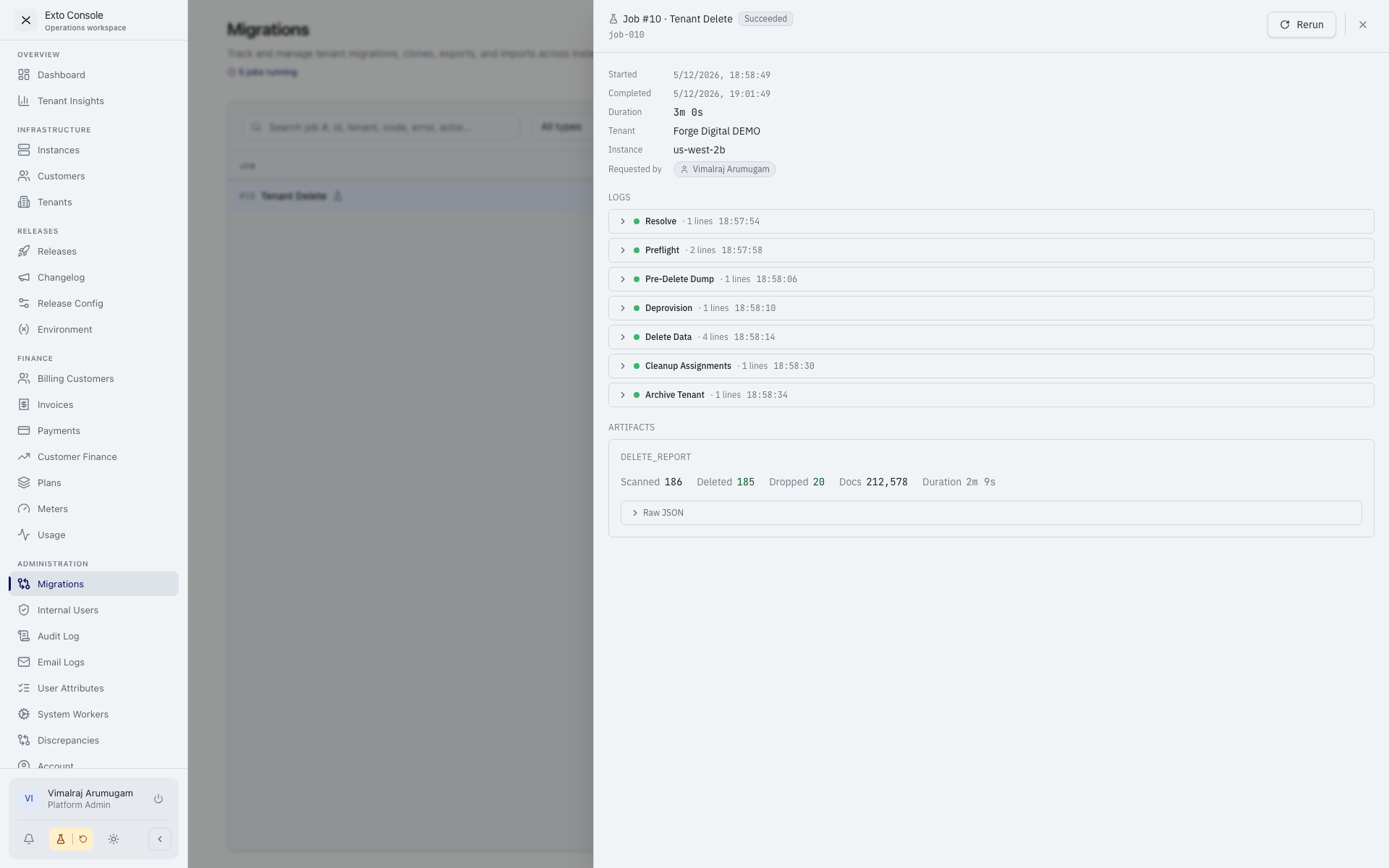
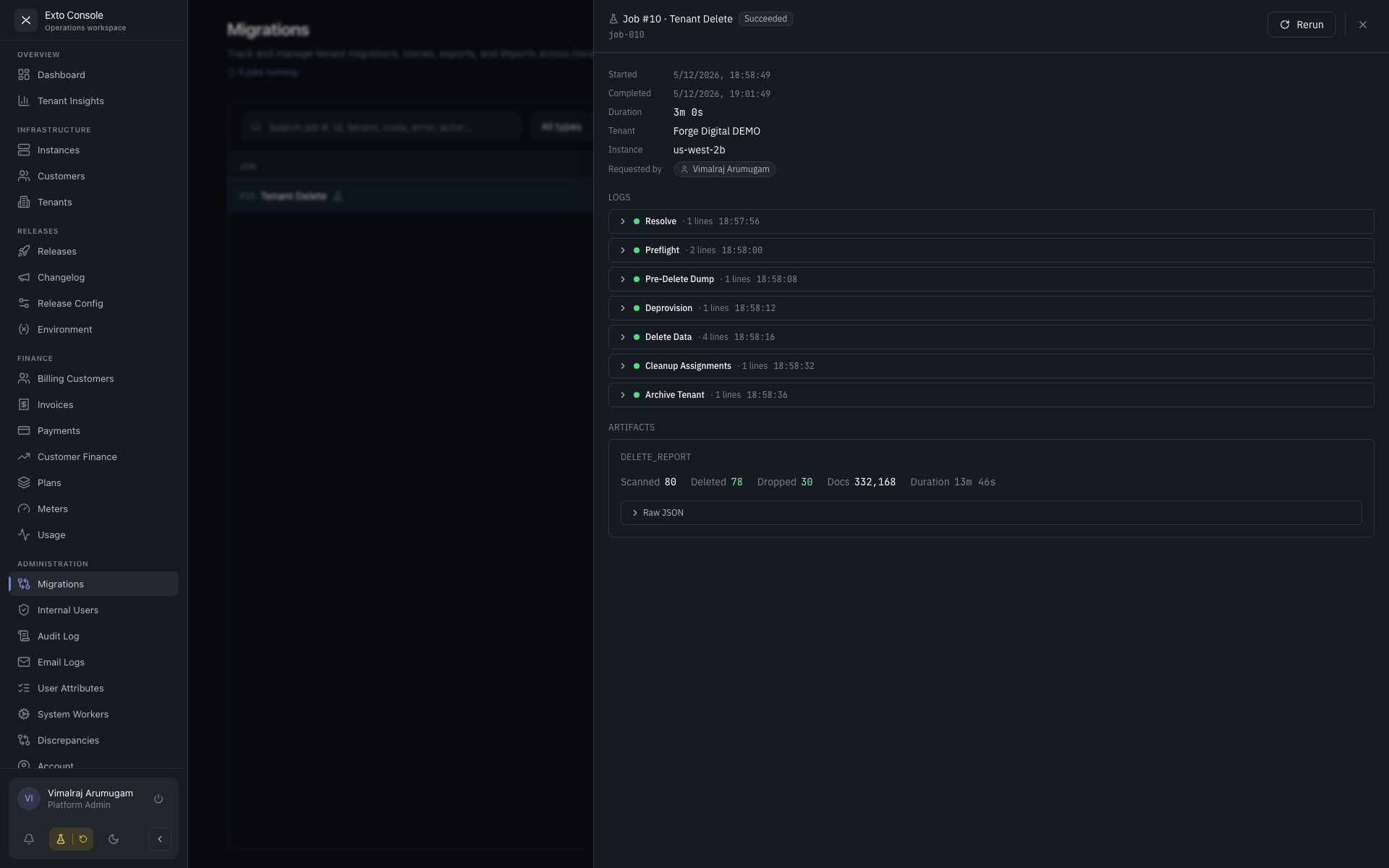
Click any row to slide out the drawer. Sections:
- Header — job type, status, dry-run flag, attempt count, started time, duration.
- Subject — what is being acted on (tenant, instance, or both).
- Phase logs — collapsible groups (preflight, clone, import, etc.). Phases with errors or warnings auto-open.
- Live progress — for in-flight jobs, the current phase and percentage.
- Outcomes — what changed, broken down by category.
- Actions — context-dependent:
- Rerun / Retry / Resume — the label depends on job type and current status. For instance replaces this resumes only the failed tenants.
- Rollback — visible if the job is part of a failed instance-replace sequence; cleans up orphaned tenants.
- Download artifact / Upload artifact — for exports and imports respectively.
Instance-replace progress
Instance-replace jobs include a per-tenant progress table in the drawer with source code, target code, and per-tenant status. You can see exactly which tenants succeeded and which failed mid-replace.
Best practice
- Always dry-run first. A failing dry run tells you what would have gone wrong without doing damage.
- Validate the artifact for exports before relying on it for an import. Download and inspect.
- For instance replaces, schedule a window — even with parallelism the wall-clock time scales with tenant count.
- Watch the drawer's phase log during the first few minutes of a live run. Most failures surface early (preflight, capacity, permissions).