

Appearance
Customer Finance
Customer Finance is the cross-customer billing dashboard. It is the page you open when you want to see the financial state of every customer at once — who is overdue, who is over plan, what your outstanding total is.
Layout
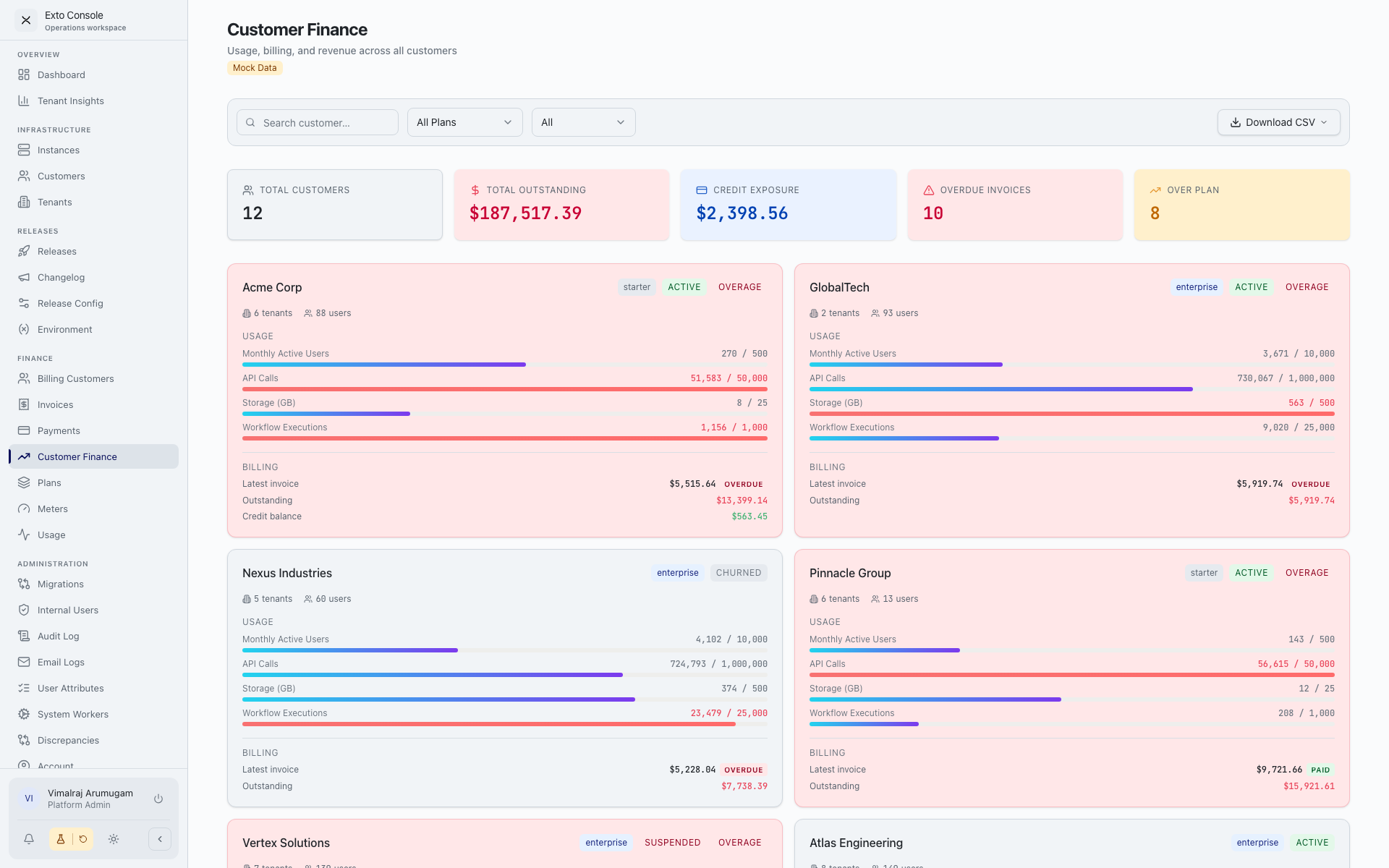
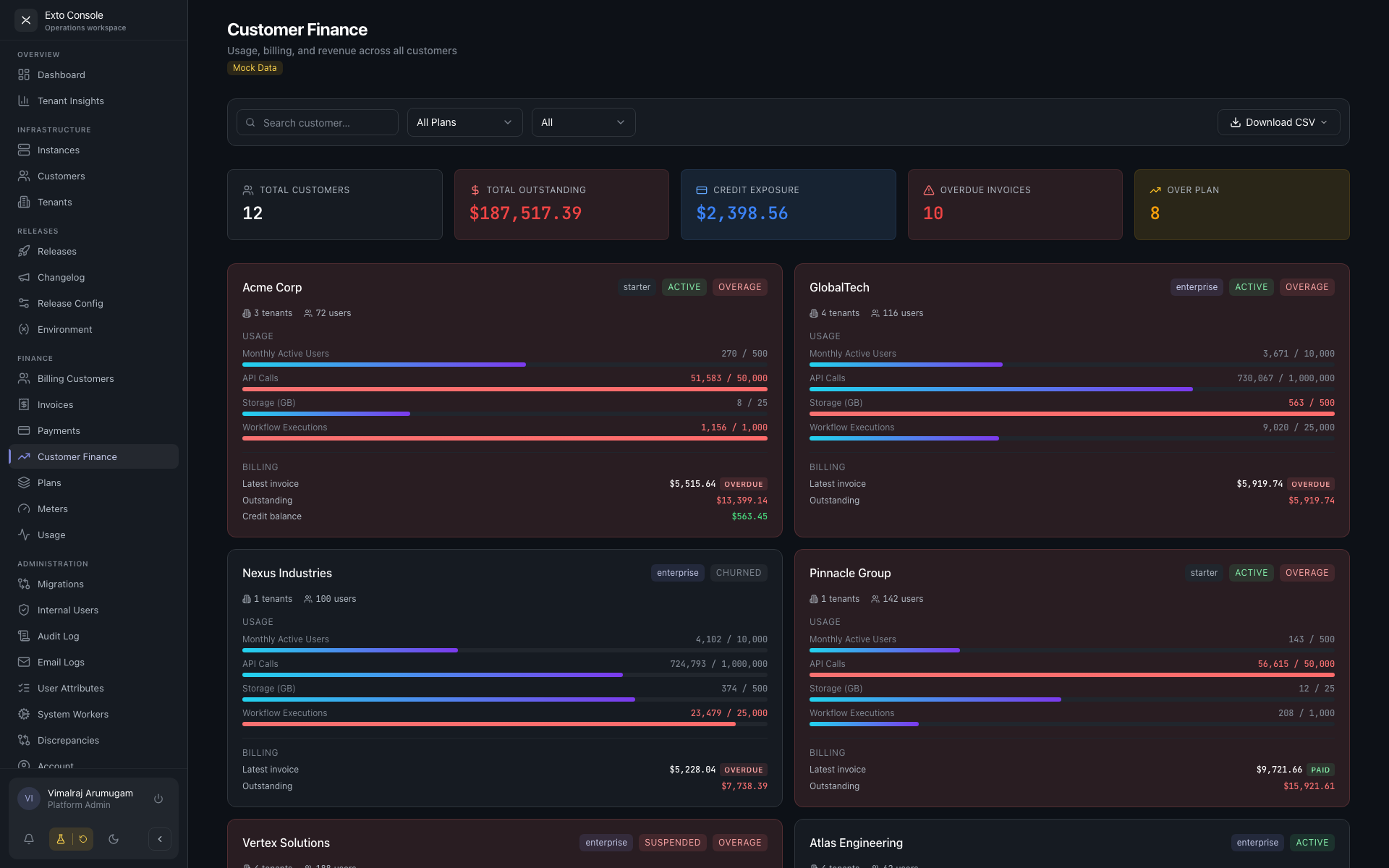
- Header with title and (in mock-data deployments) a Mock Data badge.
- Filter bar — search, plan filter, status filter, plus a Export CSV dropdown.
- Five summary stat cards:
- Total Customers
- Total Outstanding
- Credit Exposure
- Overdue Invoices
- Over Plan
- Paginated grid of customer finance cards with Load More at the bottom.
Customer finance card
Each card represents one customer.
- Customer name — link to the customer detail page.
- Plan badge.
- Status badge — active / suspended / churned.
- OVERAGE badge — visible if any meter is over its included quantity. The card background turns red.
- Quick stats — tenant count, user count.
- Usage meters — only meters with a quota (
includedQty > 0) are shown. Each meter has a bar showing billed value against the included quantity. - Billing section:
- Latest invoice — amount and status badge.
- Outstanding — total unpaid amount, in red if greater than zero.
- Credit balance — in green if greater than zero.
Filters
| Filter | Behaviour |
|---|---|
| Search | Matches customer name. |
| Plan | All / Starter / Professional / Enterprise / any custom plan. |
| Status | All / Active / Suspended / Churned. Defaults to Active in non-mock mode. |
In addition, clicking a summary card narrows the grid:
- Overdue Invoices card — shows only customers with unpaid overdue invoices.
- Over Plan card — shows only customers with at least one meter in overage.
Both card filters are additive — you can have both on at once.
Export CSV
The Export CSV dropdown gives you three reports:
| Report | Columns |
|---|---|
| Usage Report | Customer, Plan, Meter, Billed Value, Included Qty, Overage, Status. |
| Accounts Receivable | Customer, Invoice #, Period, Subtotal, Tax, Credits, Total, Status, Due Date, Days Overdue. |
| Revenue Summary | Customer, Plan, Status, Total Billed, Total Paid, Outstanding, Credit Balance, Overage Meters. |
Exports are generated client-side from the data currently in view — there is no server round-trip.
Notes
- The page does not auto-refresh. Reload to see fresh data.
- The card filters are independent of the toolbar filters — a customer must match both sets to appear.
- "Overdue Invoices" counts invoices past their due date with non-zero outstanding amount.
- "Over Plan" counts customers, not meters. A customer with three overage meters still counts as one.
- The "Mock Data" badge means the dashboard is running with synthetic billing data. In production it should never appear.